

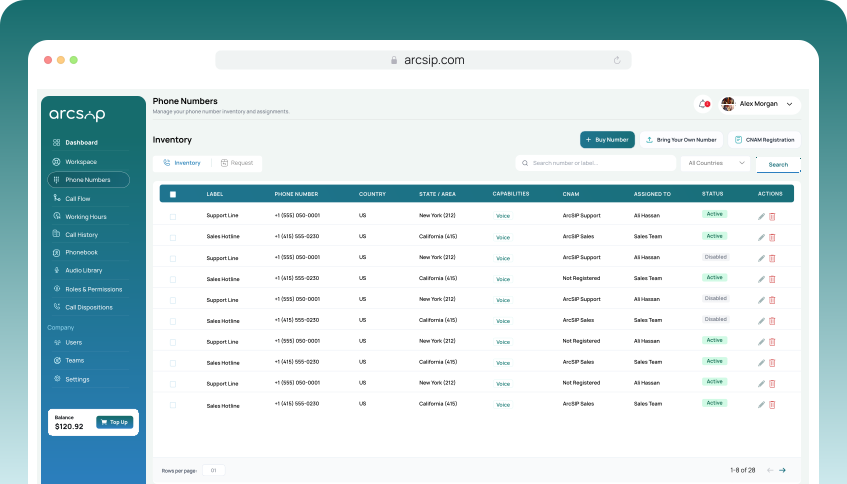
Navigate to Phone Numbers
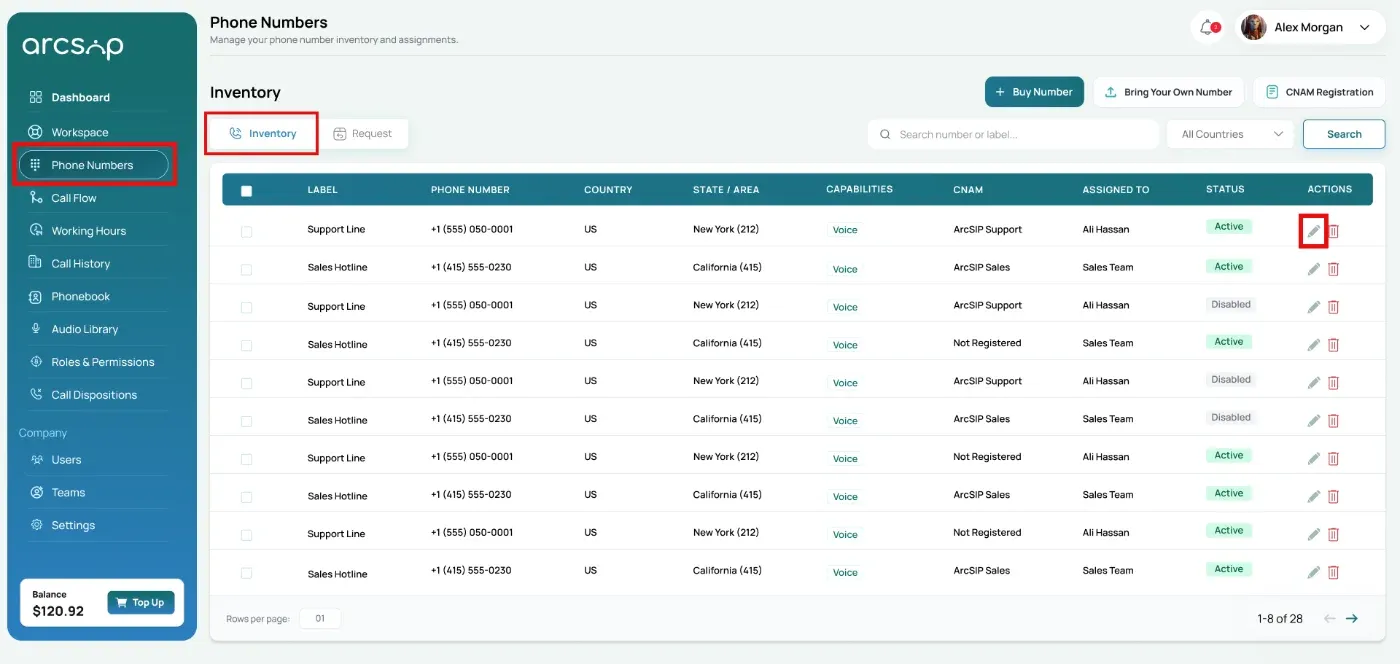
Click Phone Numbers from the left menu, you will be directed to phone numbers inventory.
Search or filter to quickly find the phone number you want to configure a call flow.
In the Actions column, locate the Edit button and click it.
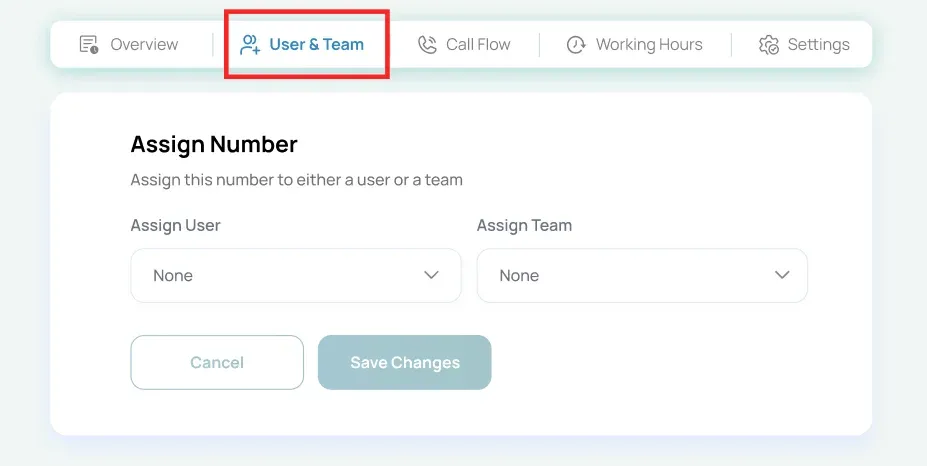
Configure Call Flow
Click the 'Call Flow' tab to configure routing options.
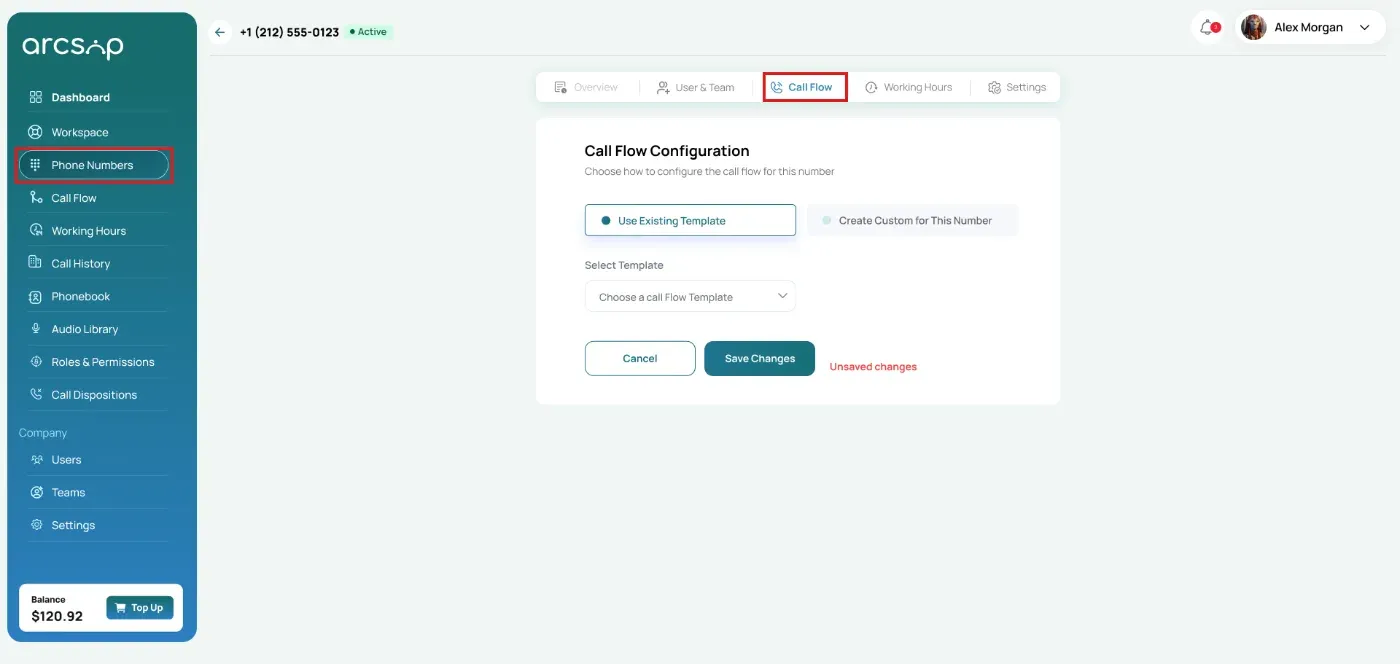
In the Call Flow tab, choose one of the following options:
- Use Existing Template: Select a pre-configured call flow template to quickly apply an existing call routing setup.
- Create Custom For This Number: Configure a routing setup specifically for the selected phone number.
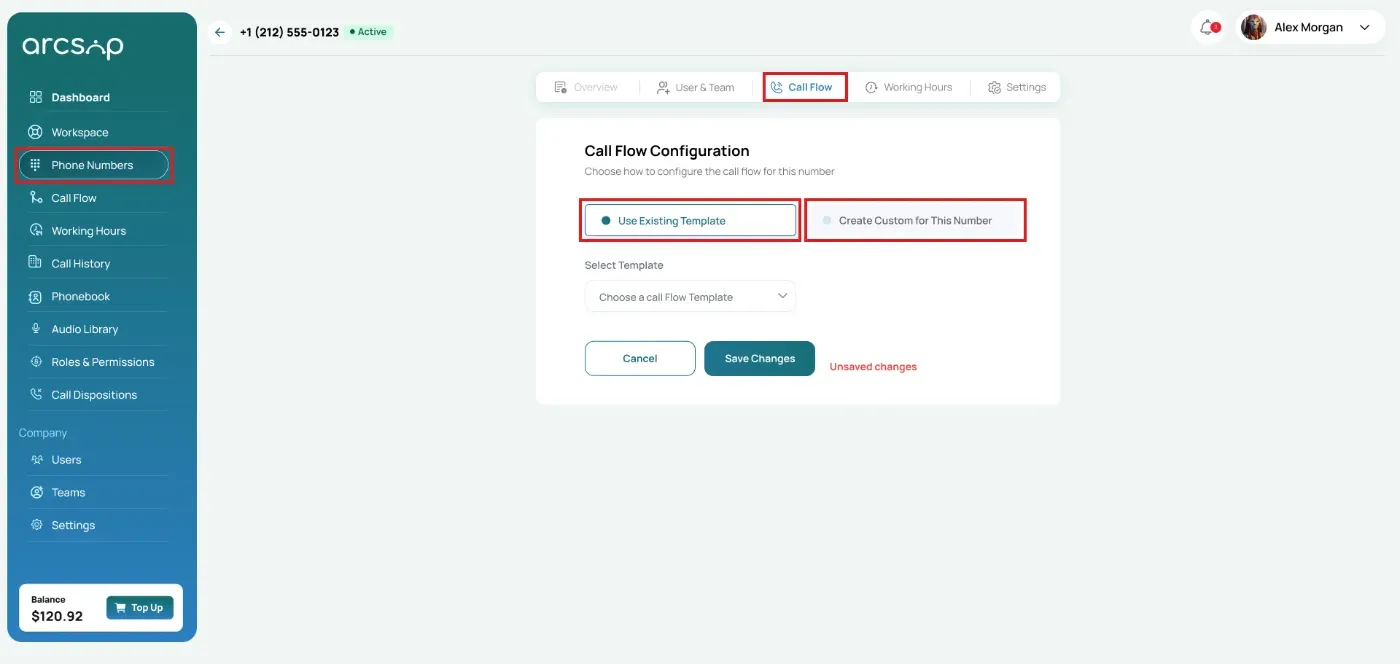
Use Existing Template
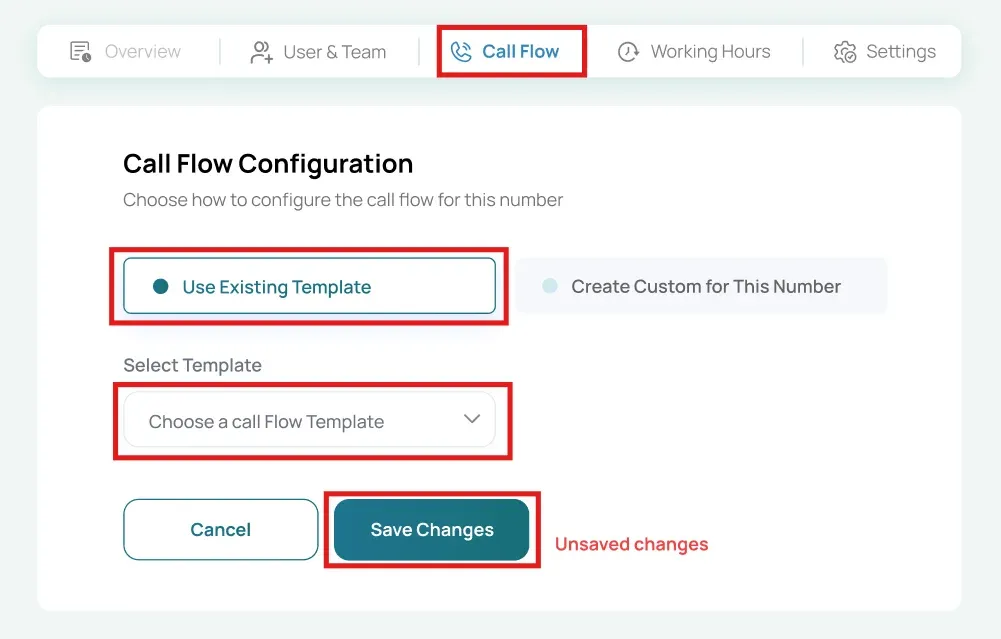
Select Use existing template and select a pre-configured call flow template to quickly apply an existing call routing setup.
Note: Available call routing templates depend entirely on how the phone number is assigned.
- Assigned to a User: Only Ring to Agent and Forward to Number templates will be available for selection.
- Assigned to a Team: Only Ring to Team, Call Menu (IVR), and Forward to Number templates will be available for selection.
Preview call flow and click Save Changes to apply the configuration.
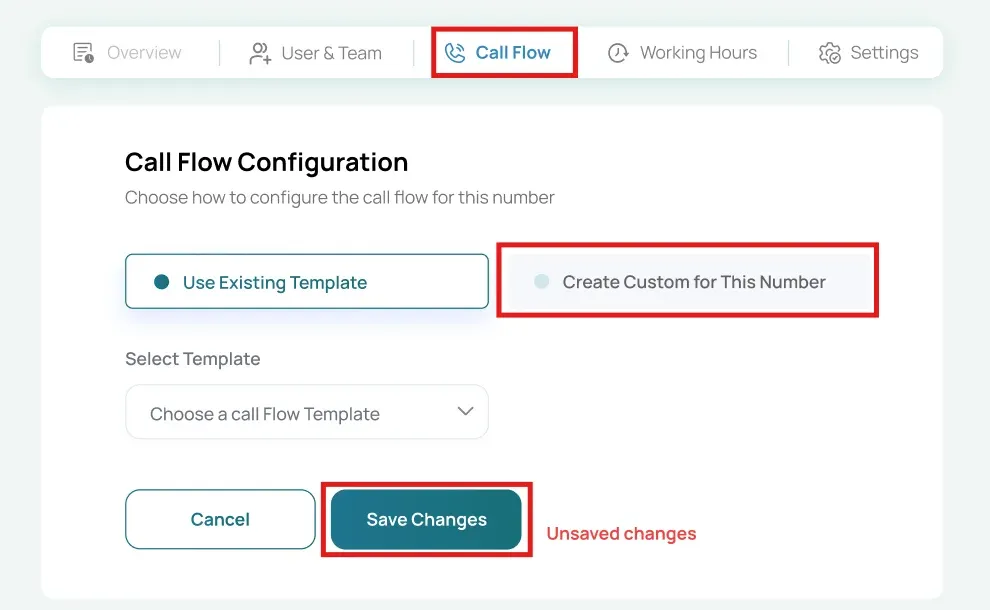
Create Custom For This Number
Select Create custom call flow to configure a routing setup specifically for the selected phone number.
Available Call Flow Types
The available call flow types depend on whether the phone number is assigned to a user or a team.
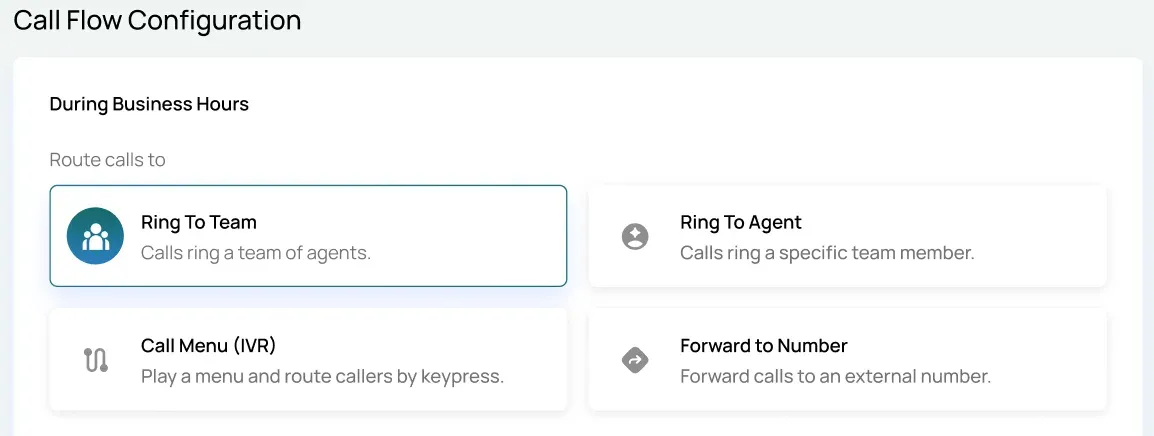
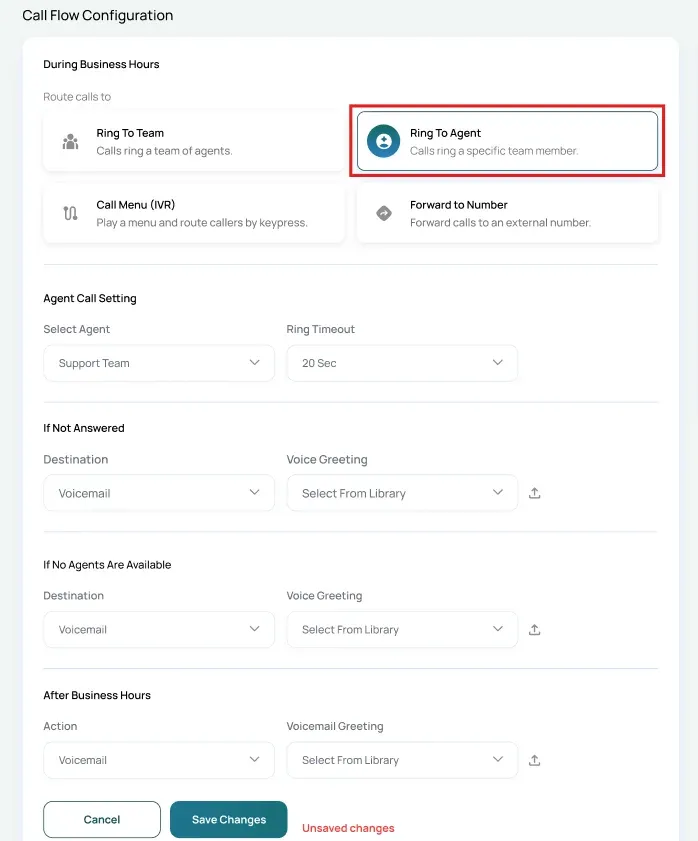
If Assigned to a User
- Ring to Agent: Routes incoming calls directly to the assigned user.
If Assigned to a Team
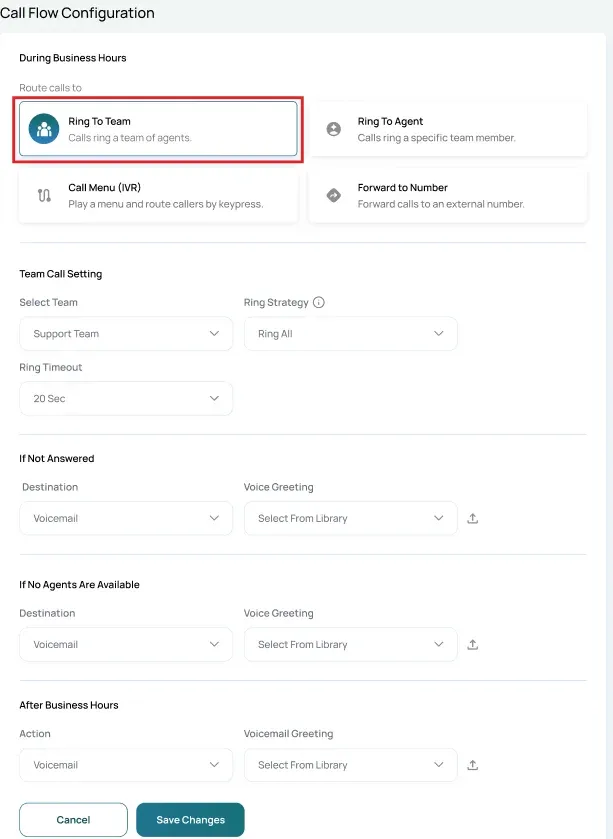
You can configure the following call flow types:
- Ring to Team: Routes incoming calls among team members based on the configured ringing strategy such as Order, Random, Ring All, or Least Used.
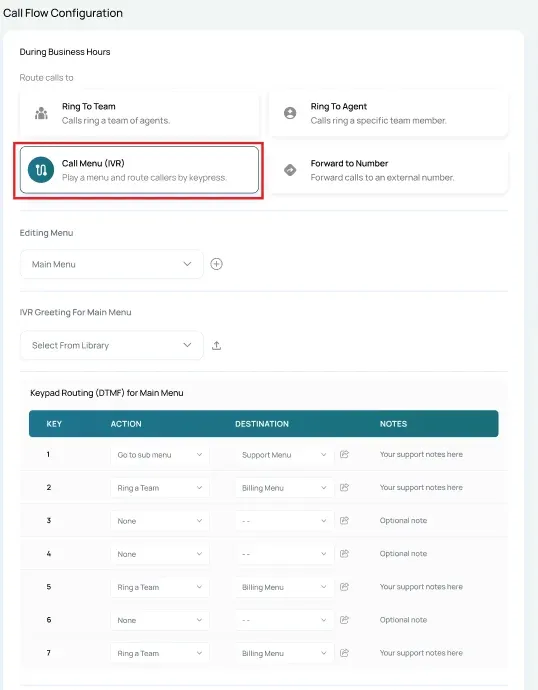
- IVR (Virtual Receptionist): Allows callers to choose an option from an automated menu to route the call to the desired destination.
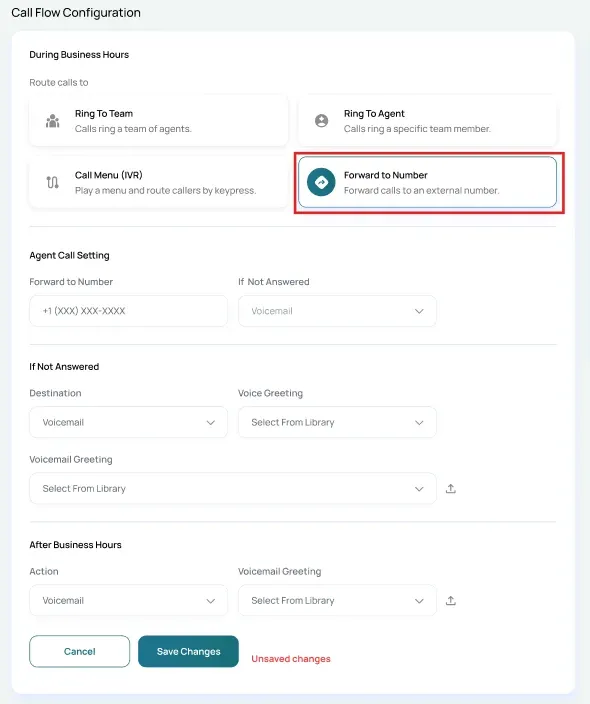
- Forward to Number: Automatically forwards incoming calls to another phone number without ringing the original destination.
Save Configuration
After configuring the desired call flow type, click Save Changes to apply the routing configuration to the phone number.
The selected call flow will immediately begin handling incoming calls according to the configured routing rules.