
Assign a Phone Number to a User or Team
This article explains how to assign a phone number to a user or team and manage related settings. Phone number assignment strengthens communication workflows in two key ways.
First, it connects each number to the right user or team based on business needs. Second, it ensures calls are routed consistently while keeping ownership, availability, and responsibilities clearly defined. With structured number assignment, businesses can keep communication organized, maintain consistent customer experiences, and scale calling workflows without confusion.
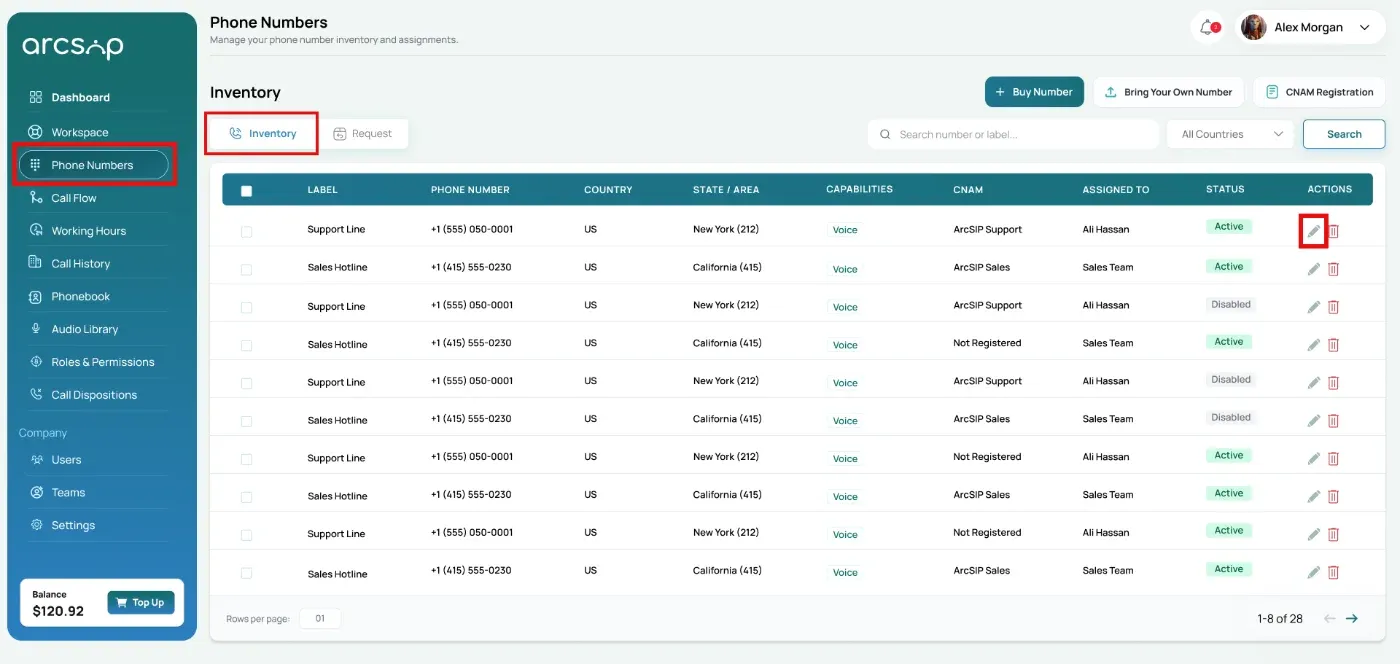
Navigate to Phone Numbers
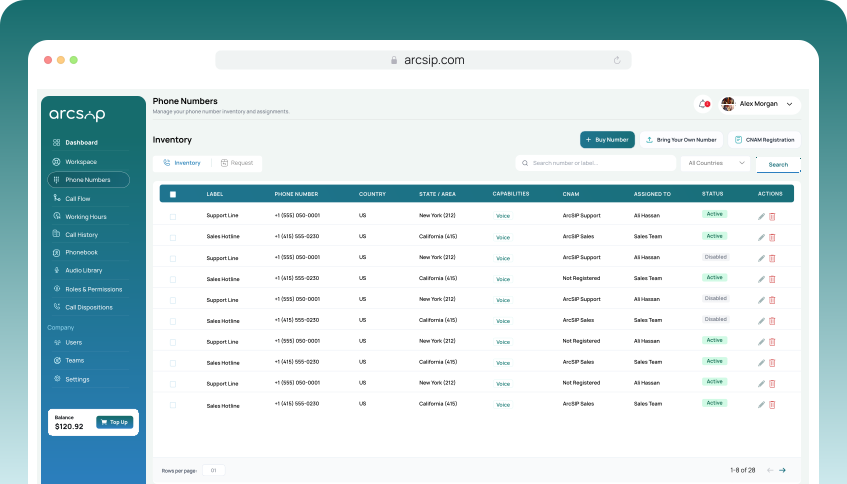
Click Phone Numbers from the left menu, you will be directed to phone numbers inventory.
Use search or filter to quickly find the phone number you want to assign.
In the actions column, locate and click the Edit button.
Phone Number Overview
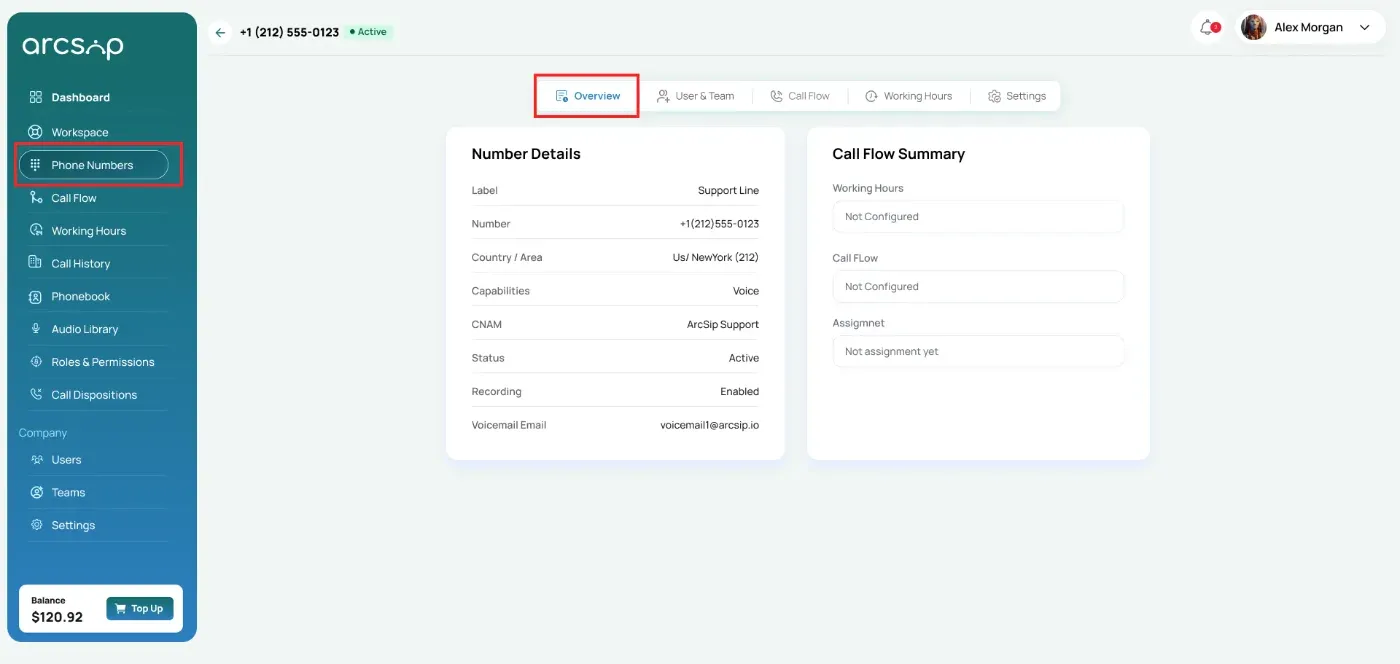
A quick summary of phone number configurations will be displayed, including:
Number Details
- Label: Custom name assigned to the phone number (if any).
- Country/Area: Geographic region and dialing code of the number.
- Capabilities: Shows what the number is capable of, such as Voice calling.
- CNAM: Indicates whether CNAM is configured or not configured.
- Status: Current status of the number (e.g., active, inactive).
- Recording: Indicates whether call recording is enabled or disabled.
- Voicemail Email: Email address used to receive voicemails.
Call Flow Summary
- Working Hours: Indicates whether working hours are configured or not configured.
- Call Flow: Indicates whether call flow is configured or not configured.
- Assignment: Indicates whether the number is assigned or not assigned.
Assign a Phone Number to a User or Team
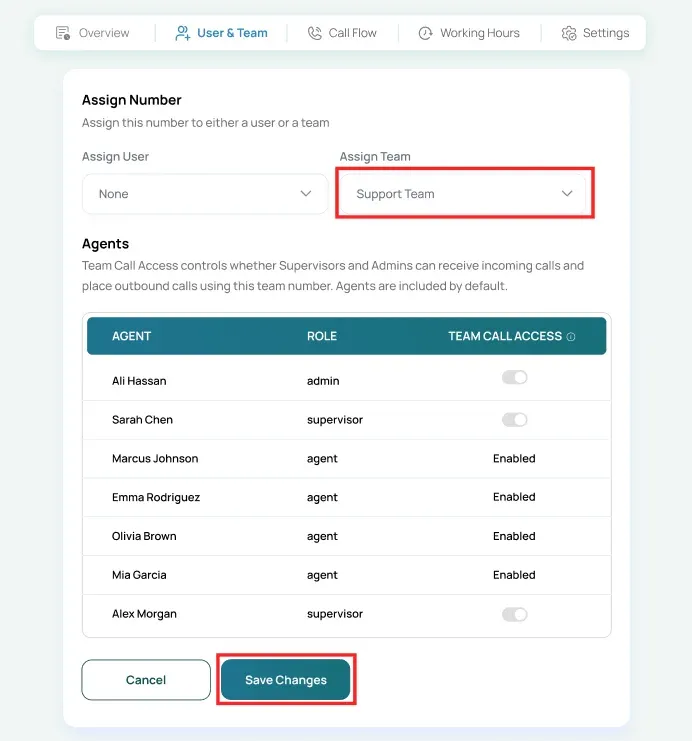
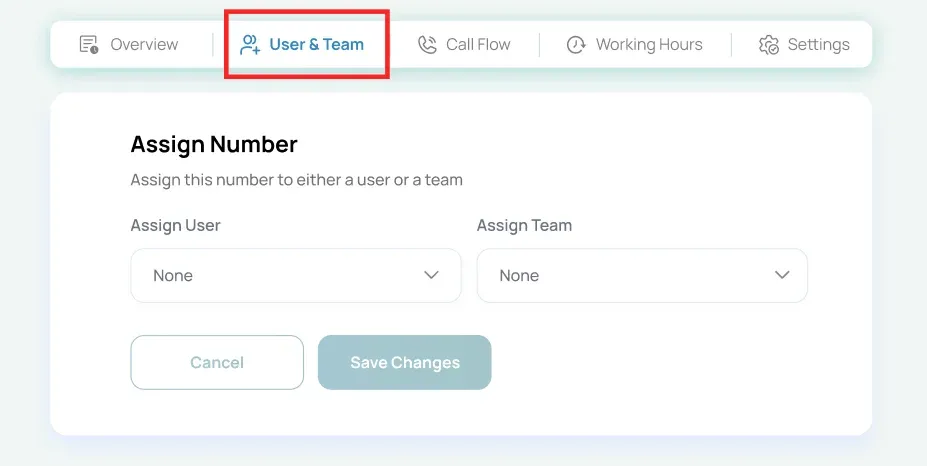
Click the 'User & Team' tab to assign a phone number.
When a number is assigned to a user, only that user can handle calls on the number. When assigned to a team, all team members can handle incoming calls on the number.
Click save changes, phone number is assigned to selected user.
Team Call Access
When a number is assigned to a team, use Team Call Access to control:
- Enable or disable Supervisors and Admins for receiving and placing calls.
- Agents are included by default and can handle calls using the team number.
Click save changes, phone number is assigned to selected team with control call permissions.