
Navigate to Phone Numbers
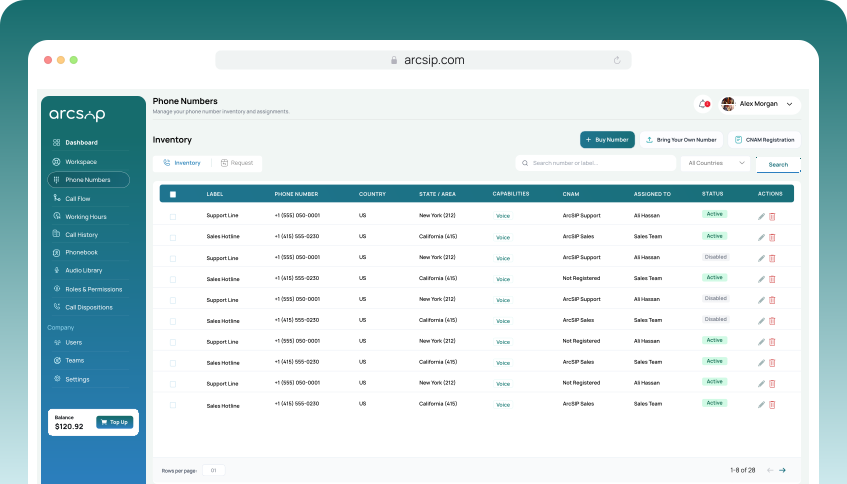
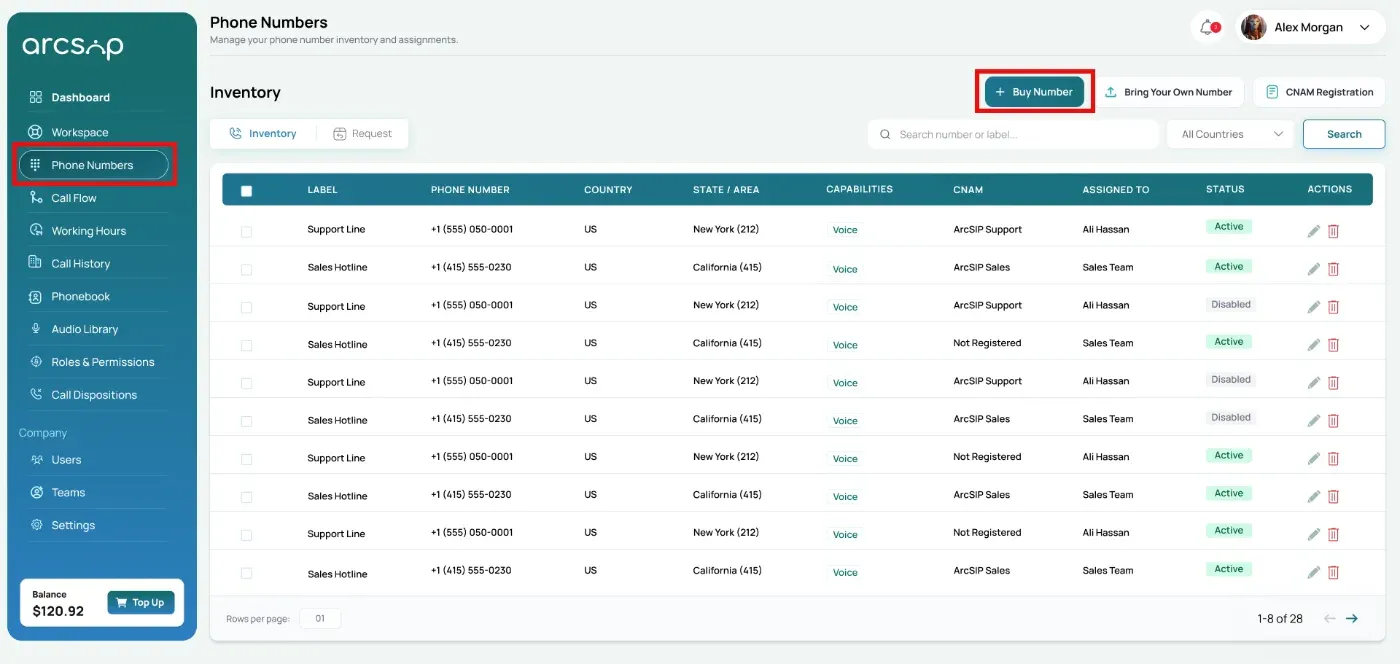
Click Phone Numbers from the left menu to open Inventory, then click Buy Number to purchase a new number.
Search for Available Numbers
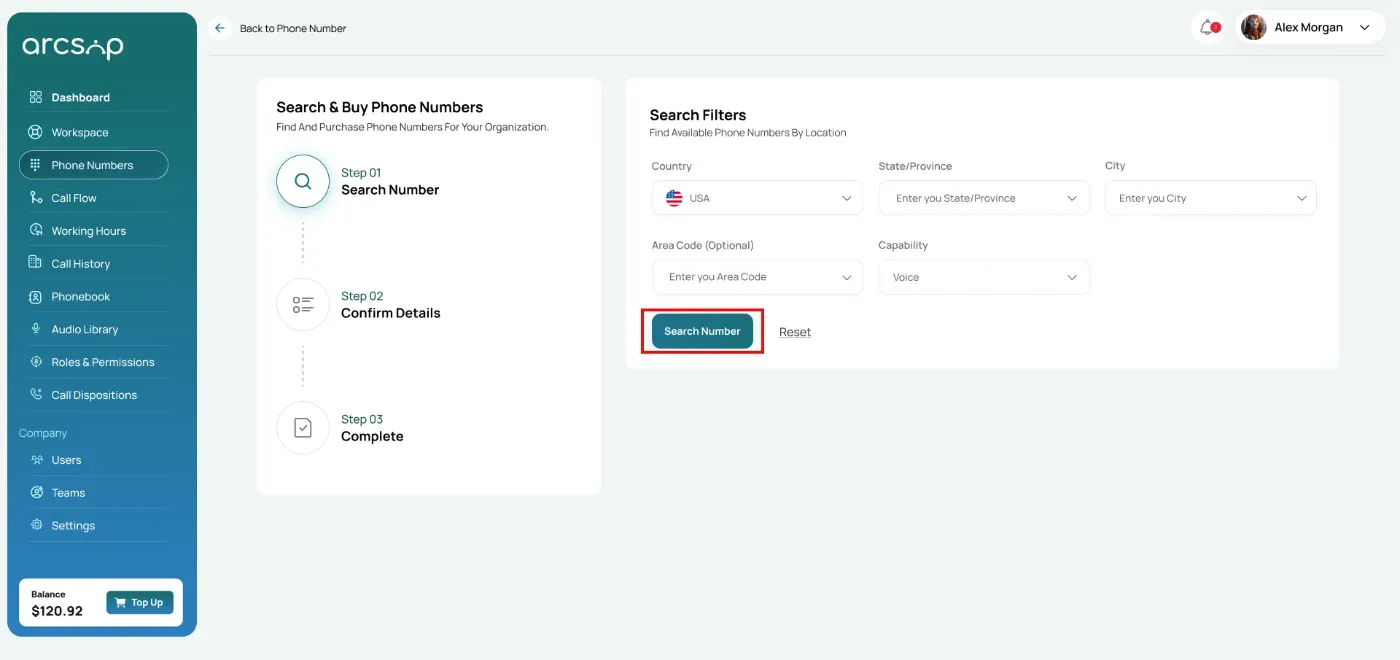
Use the following filters to find a number based on your requirements.
- Country: Select the country where you would like the phone number to be registered.
- State / Province: Choose a specific state, province, or region to narrow your search.
- Area Code: Search for numbers within a preferred local area code.
- Capability: Select the functionality you require, such as Voice calling.
Once the filters are selected, click Search Number.
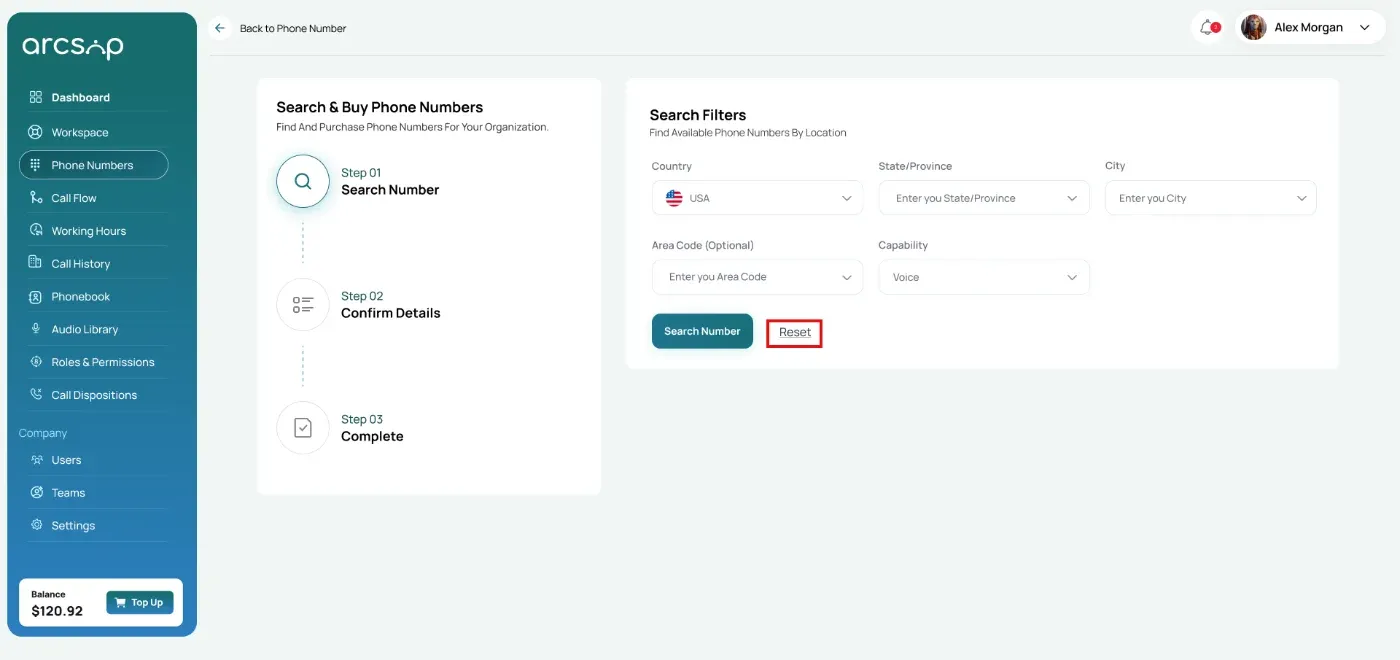
A list of available phone numbers matching your search criteria will be displayed along with their monthly pricing.
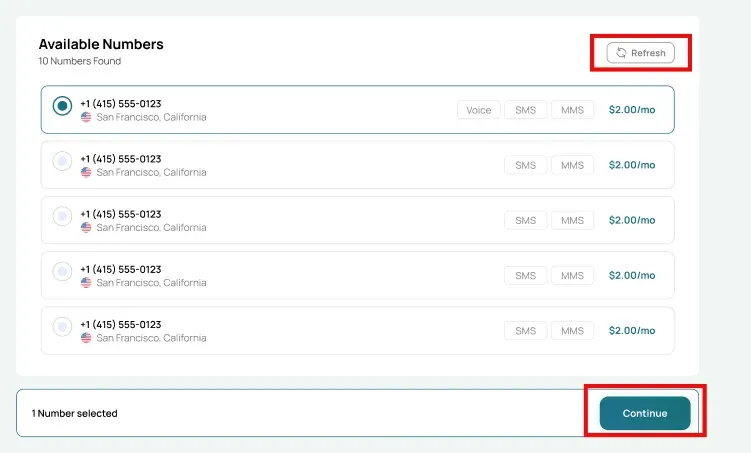
Review the selected phone number(s) and billing summary. Click Continue to proceed, or click Refresh to view the new list of available numbers.
Confirm Details
Review the selected phone number(s) and billing summary. Click Purchase Number to proceed.
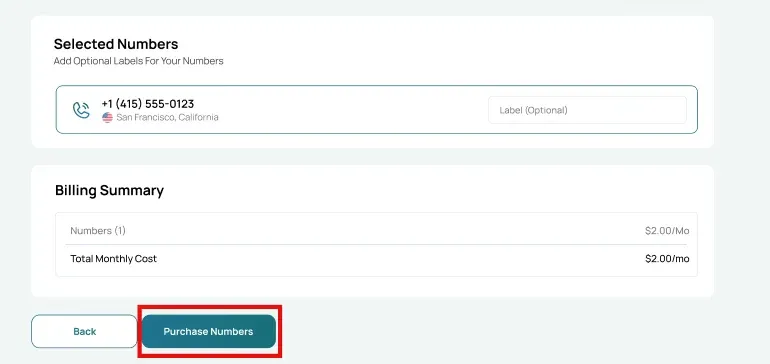
Complete Purchase
Complete the payment to finalize the purchase.
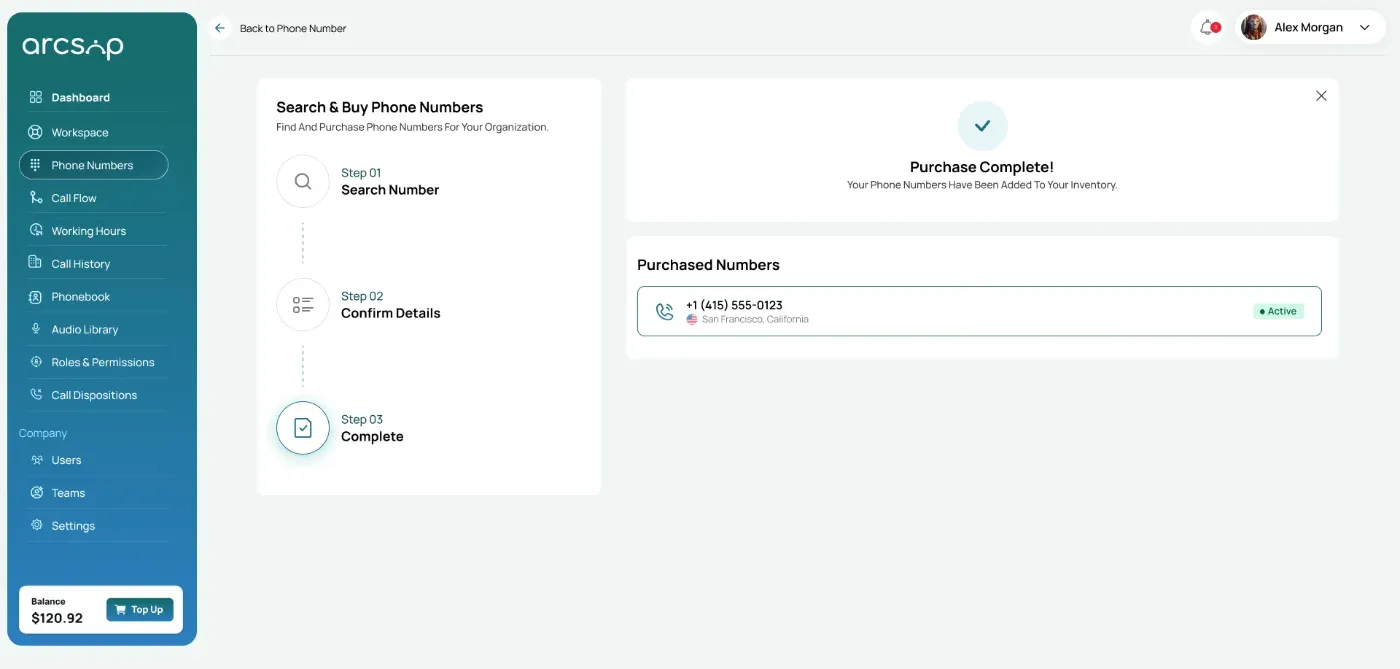
After a successful purchase, the selected phone number(s) will be added to your Phone Number Inventory and will be available for immediate use.