

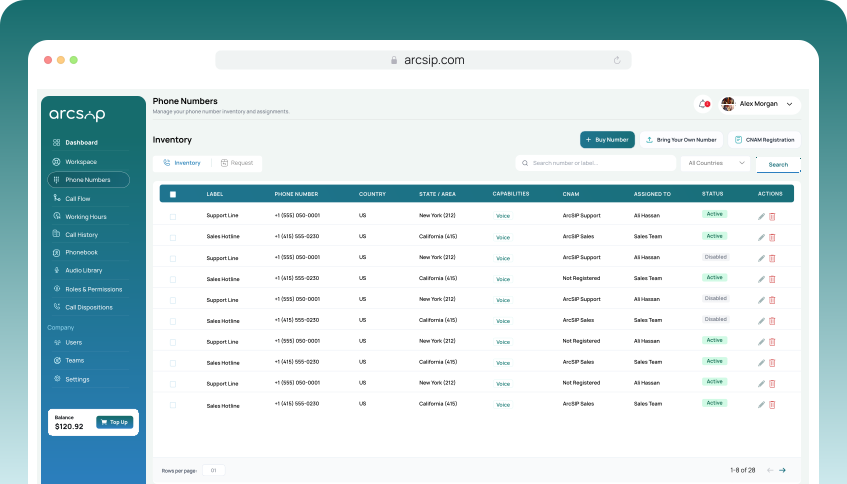
Navigate to Phone Numbers
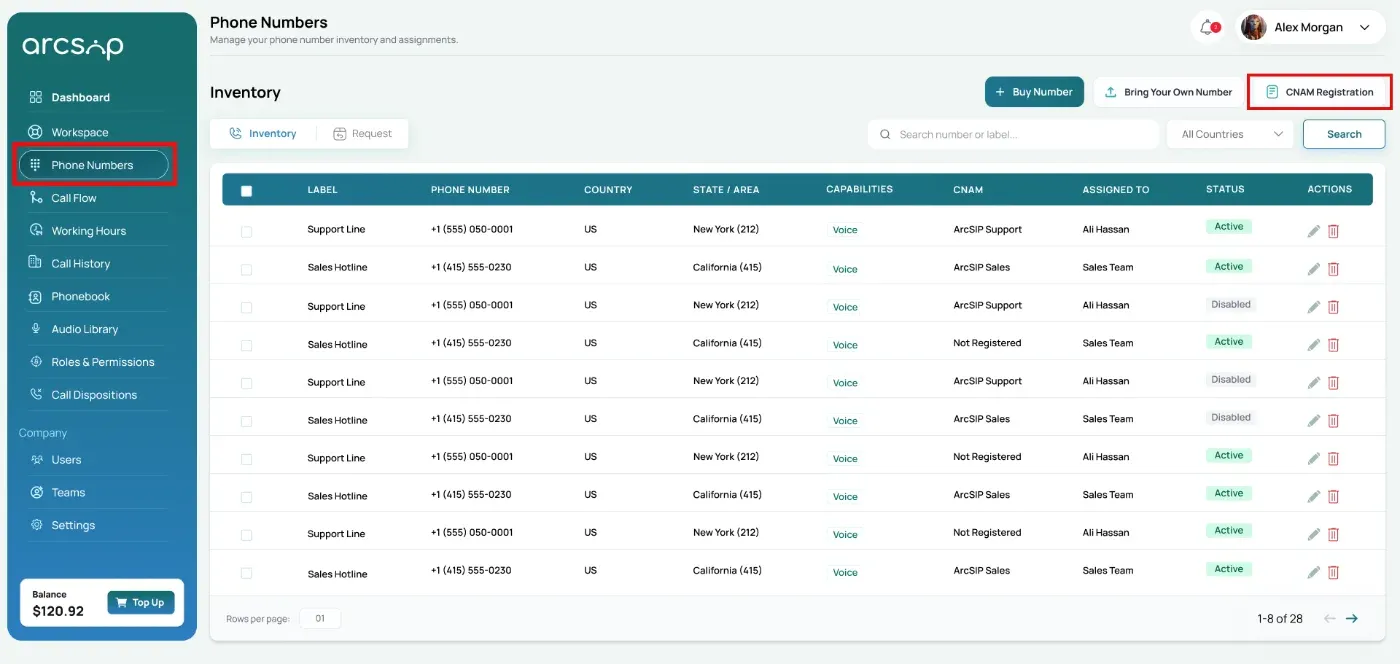
Click Phone Numbers from the left menu to open the Inventory, then click CNAM Registration to start the CNAM registration process.
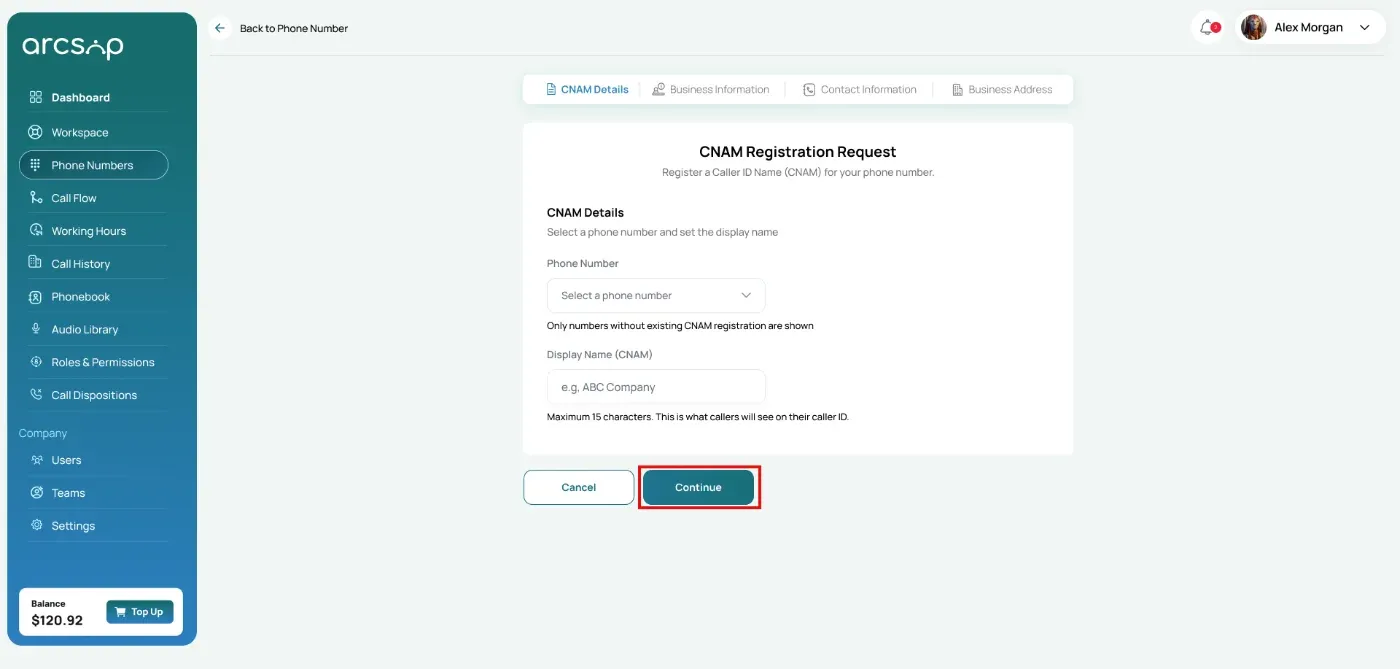
CNAM Details
Select a phone number that you want to register for CNAM.
Enter the name that will be displayed on caller ID when making outbound calls.
Click Continue to proceed to the next step.
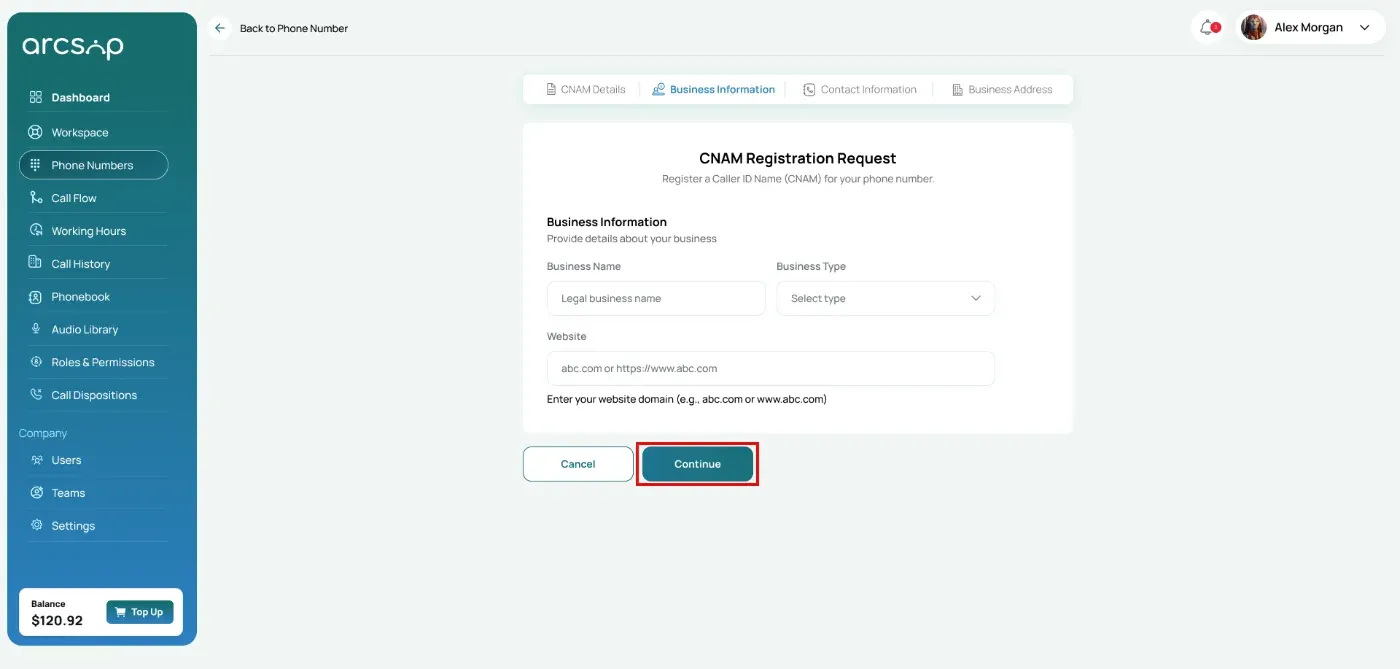
Business Information
Enter the following details about your business for CNAM registration.
- Business Name: Your registered business name
- Business Type: Select the category that best describes your business
- Website: Enter your official business website address
Click Continue to proceed to the next step.
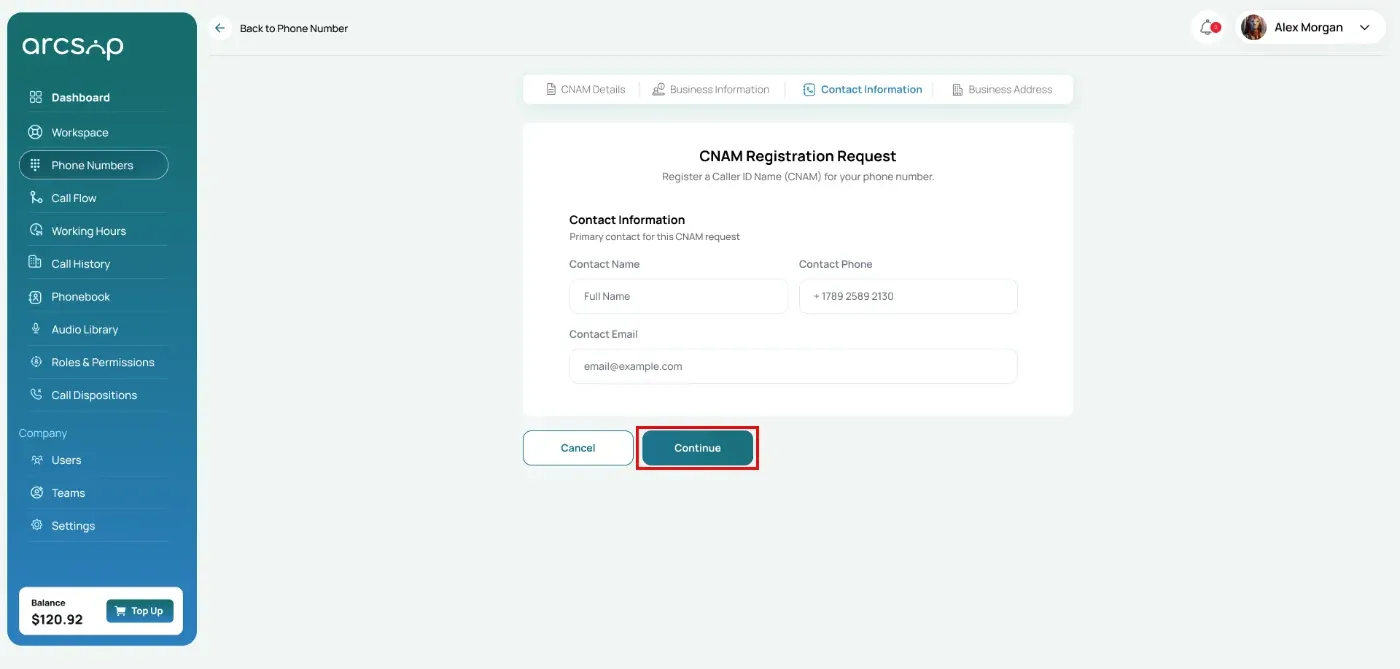
Contact Information
Enter the primary contact details for this CNAM request for communication and updates.
- Contact Name: Full name of the primary contact person
- Contact Number: Phone number for communication regarding this request
- Email Address: Email address for updates and notifications
Click Continue to proceed to the next step.
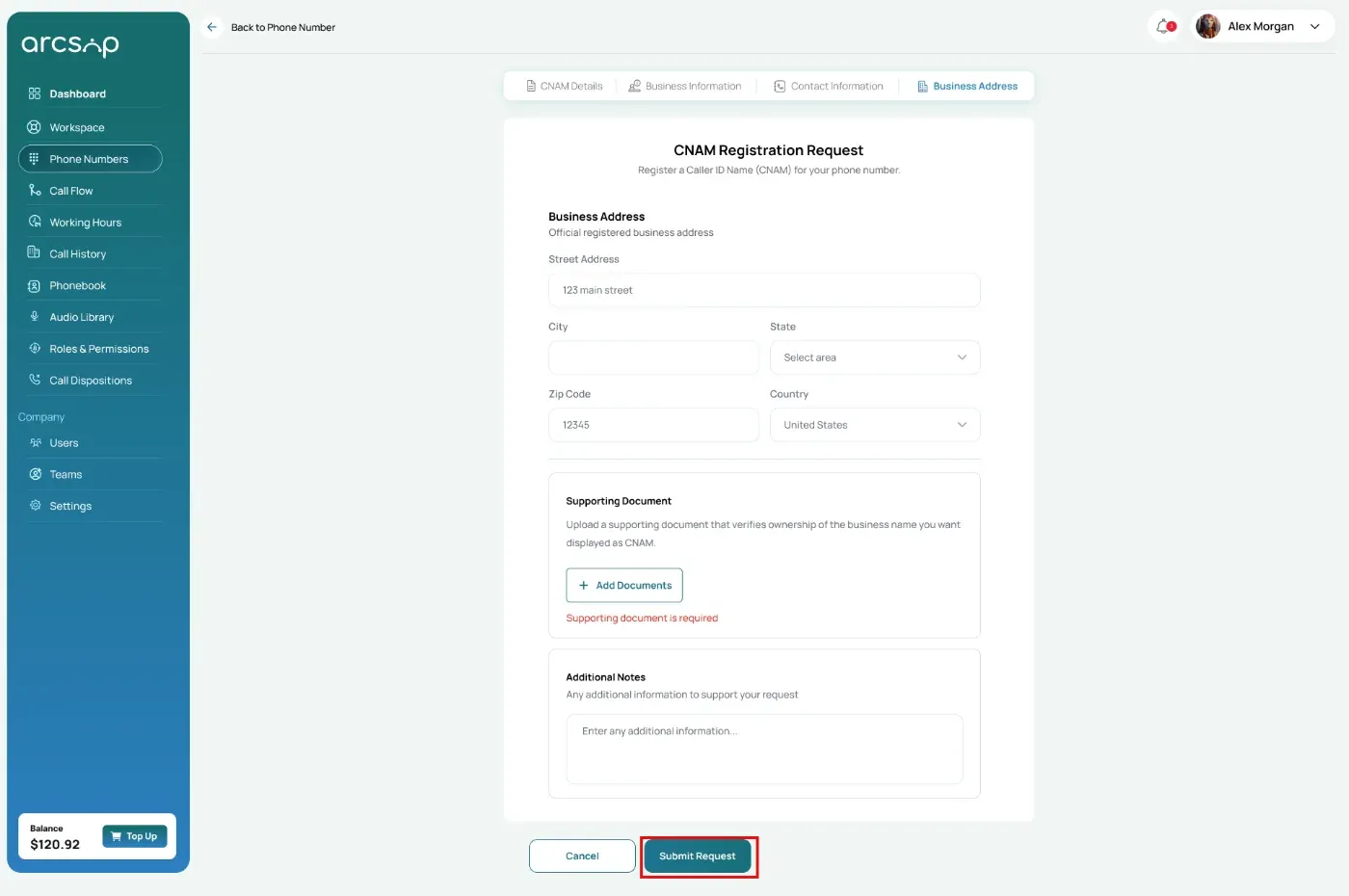
Business Address
Provide your official registered business address:
- Street Address: Registered business street address
- City: City where your business is registered
- State/Province: State or province of registration
- ZIP/Postal Code: Postal code of the registered address
Upload a document that verifies ownership of the business name to be displayed as CNAM.
Provide any additional details that may support your CNAM request (optional).
Click Submit to complete your request.
Once submitted successfully, a confirmation message is displayed, a Request ID is generated, and the request can be tracked in the Requests section.